

How to Apply IPO with ASBA through Axis Bank?
- Go to Axis Bank Net Banking Login – https://www.axisbank.com/
- Click on Investments
- Click on Online IPO (ASBA)
- Click on Apply for IPO
- Register as an Applicant
- Click on Payment for IPO & Select your Account Number
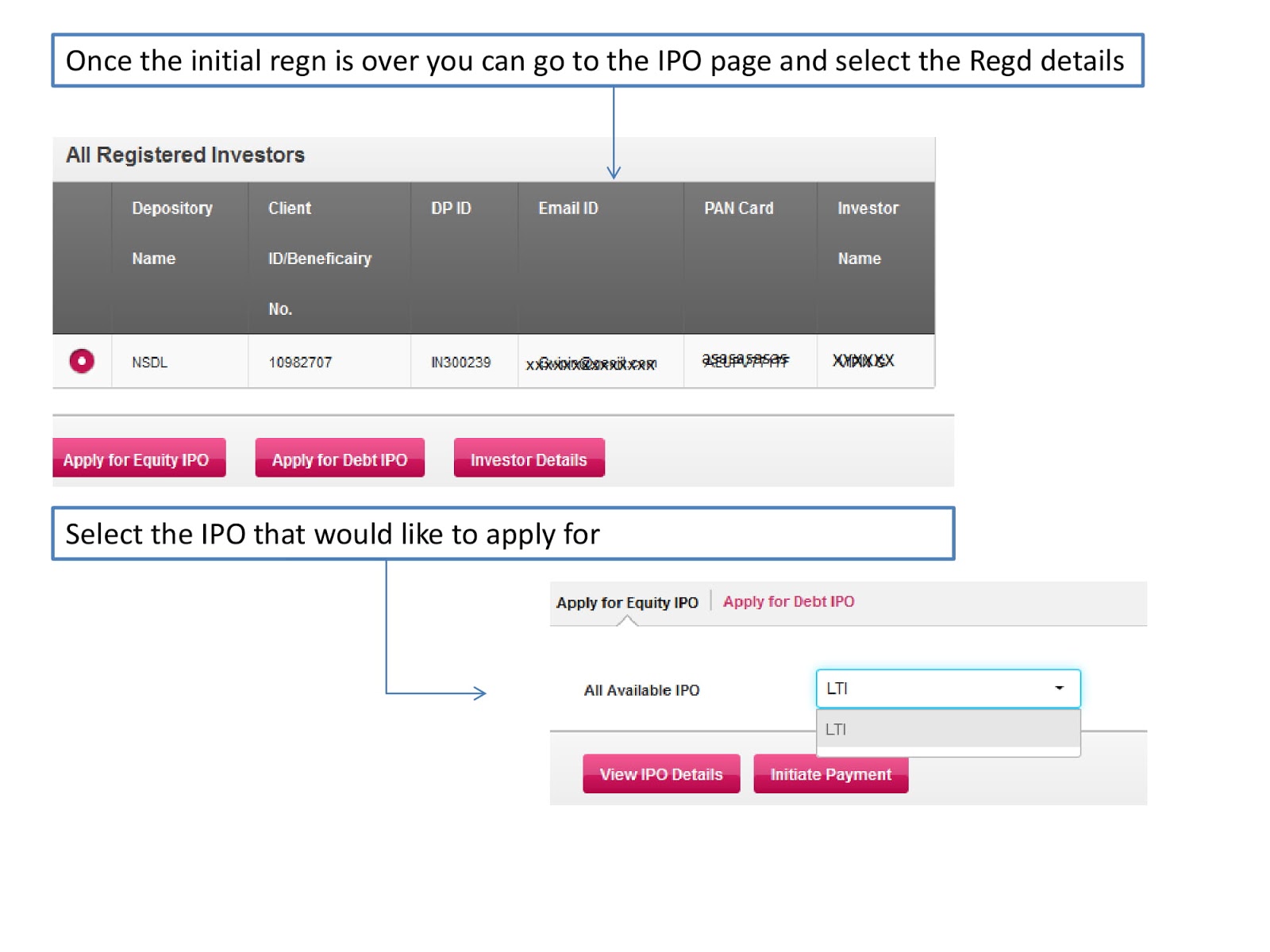
- Select IPO from drop down and Submit
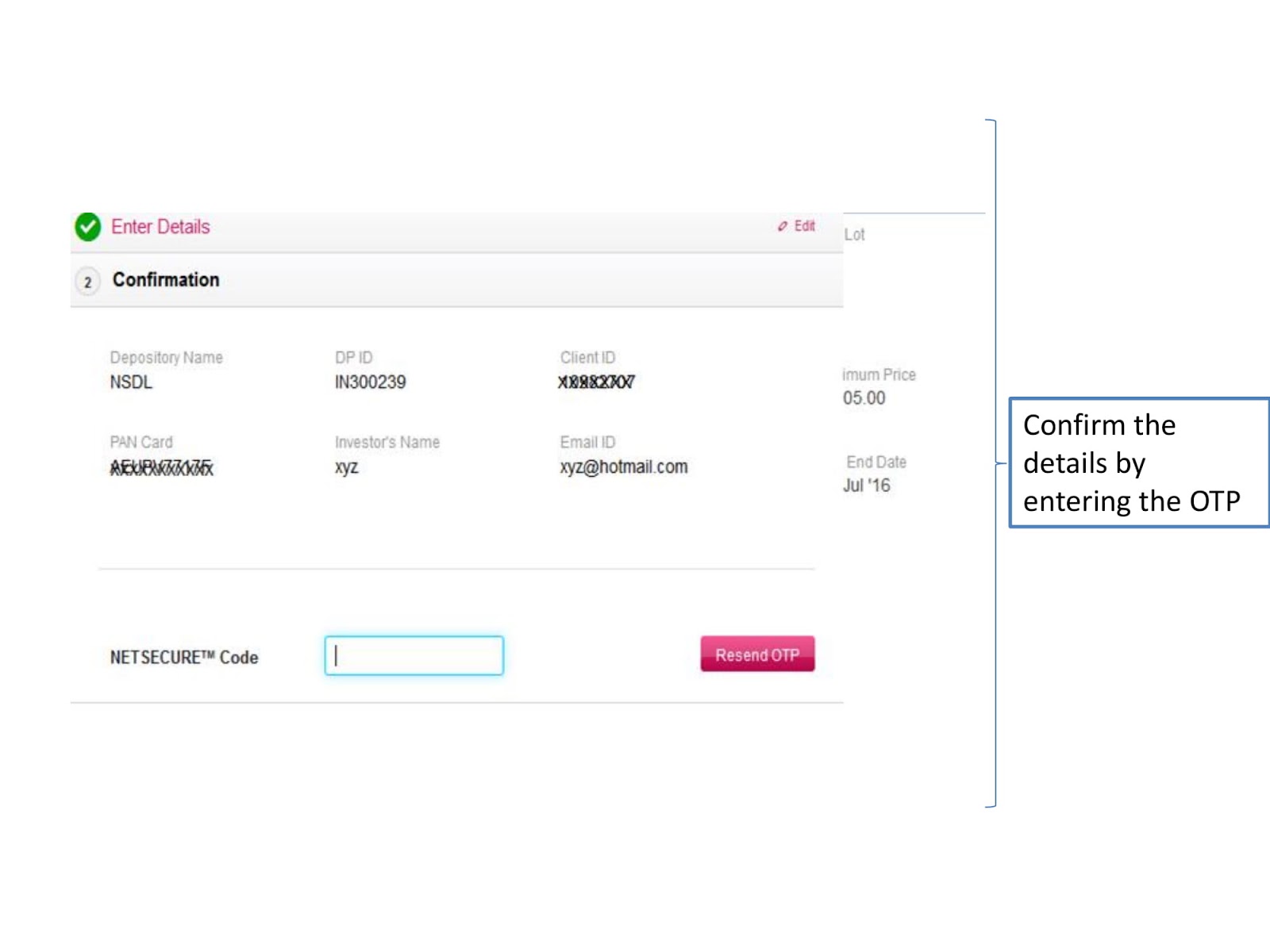
- Enter Details in the Form like DP ID, BID, Name, Pan Card and more
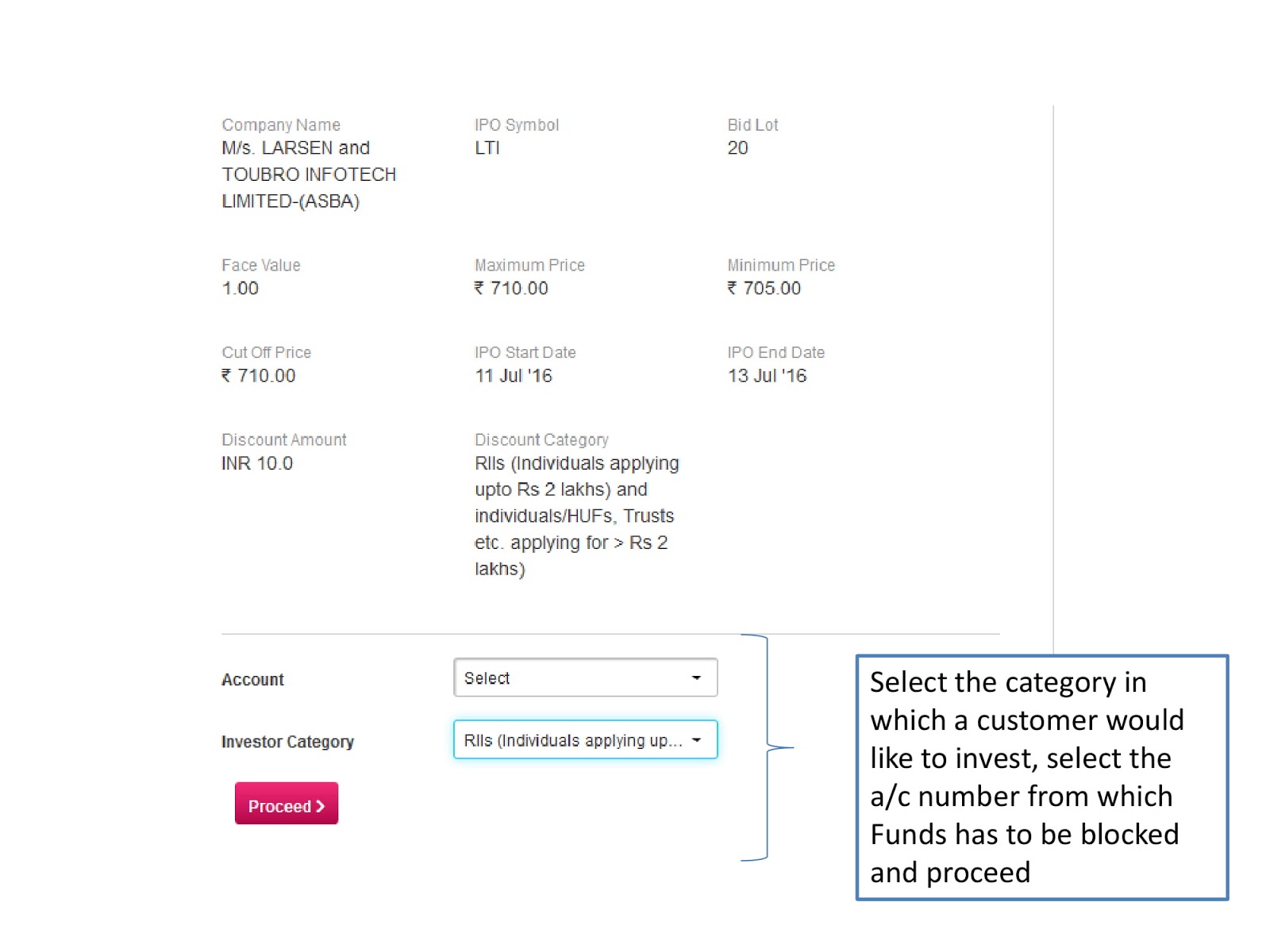
- Verify & Confirm Your Order
Select Investments & Online IPO:
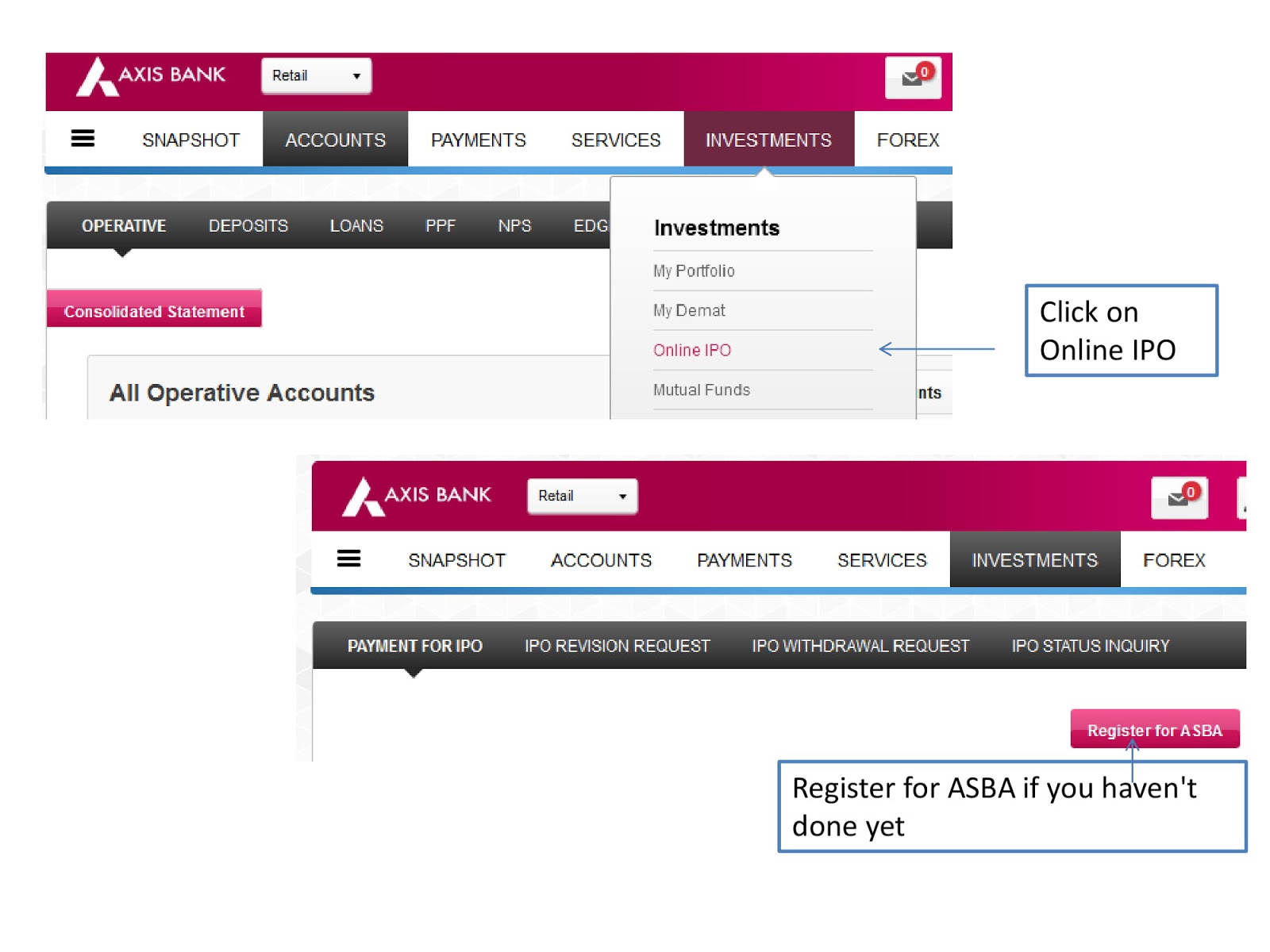
Register for ASBA:

Enter Details & Confirm by OTP:
Select IPO & Apply:
Select Category, Verify & Apply: